

In the second quarter of 2026, 19.9% of businesses with 1 to 4 employees were already using AI, according to Statistics Canada. One small business in five has started. This one-month plan shows you where to begin, with no IT department.
Getting started with AI in a small business: five steps, one month
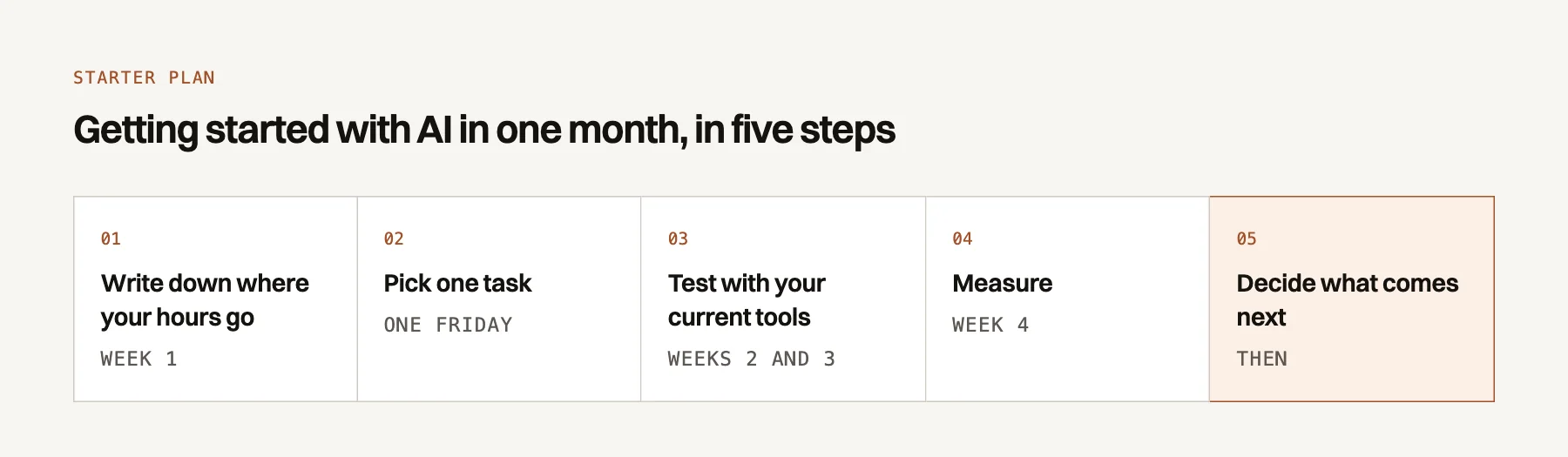
Each step fits into a normal work week. You buy nothing before step 5.
- Week 1: write down where your hours goFive minutes at the end of the day, in a simple table.
- Pick one taskOne hour on Friday, with the three-question test.
- Weeks 2 and 3: test with your current toolsAn AI assistant, or a feature already included in your software.
- Week 4: measureCompare the minutes before and after, and note the mistakes.
- Then: decide what comes nextKeep it, switch tasks, or move to a custom project.
Your hours first, not a tool
In week 1, don't open any AI tool. Write down every task that takes more than 15 minutes: what it is, how long it takes, who does it.
Five minutes at the end of the day is enough, on paper or in a Google Sheet. Each person in the office keeps their own list.
Eight tasks almost every office repeats each week
To fill in your list, look for these situations.
- Typing the same answer for the fifth time: "What are your hours? Do you take small jobs?"
- Copying a new client from the web form into the CRM, then into the accounting software.
- Writing the same appointment confirmation, changing only the date and address.
- Chasing a client, again, for the missing document.
- Moving an appointment by text in three back-and-forth messages.
- Summarizing a long email thread for the person taking over the file.
- Filing supplier invoices received as attachments.
- Digging through three tools on Friday to know how many quotes went out.
Your week 1 table, ready to copy
| Task | Minutes | Who | Every week? | Client data? |
|---|---|---|---|---|
| Write a quote | 40 | Me | Yes | Yes |
| Sort the morning email | 30 | Julie | Yes | No |
One line per task over 15 minutes. On Friday, add up the minutes per task.
Example
In a small renovation firm, Friday's list shows three quotes written in the evening, 40 minutes each. Sorting email takes 30 minutes every morning.
Appointments moved by text message come up four times in the week.
Keep one task: the one that passes a three-question test
On Friday, read your lists again and take an hour to choose. One task only, or you won't know what worked.
- Could you explain it to an intern in five minutes? If so, its steps are clear enough for AI.
- Can you check the result at a glance? A quote is quick to reread; a tax calculation, less so.
- Can it be done without a client's name or contact details? If so, a public AI assistant is fine for the test.
In the example, the evening quote gets three yes answers once the client's name is removed. For more ideas, see the admin tasks a small business can automate.
Test for two weeks with the tools you already pay for
The first test costs almost nothing. You have two options, and an hour is enough to launch either one.
An AI assistant to write, summarize or rephrase
An AI assistant is software that writes a text from your instructions. ChatGPT, Microsoft Copilot and Google Gemini each have a free version, with usage limits.
Example
Instead of: "Write a quote for Mark Smith, 45 Main Street, bathroom."
Write: "Draft a polite quote for a bathroom renovation. Here are my line items and prices."
Keep a request that works in a shared document. The other two people in the office reuse it as is.
The automations already built into your software
Much of the software you already pay for has forgotten features. Outlook rules and Gmail filters sort email without any AI. Your booking tool may already send reminders.
Spend 20 minutes in each program's settings and look for the words "rules", "reminders" or "automations".
No identifiable client data in a public tool
According to the Commission d'accès à l'information, anyone who runs a business is responsible for the personal information it holds. In a small business, that's you, unless you delegate it in writing.
The simplest rule: no name, address or file number in a public assistant. Our article on ChatGPT and Law 25 covers the three steps to take.
Measure before you spend another dollar
After two weeks, compare the minutes from week 1 with those from the test. Also count the mistakes you caught when rereading.
Example
The three evening quotes took 2 hours a week. With the assistant, they take 1 hour, rereading included.
One hour saved a week, over 48 weeks, makes 48 hours. At $60 an hour, that is worth $2,880 a year.
How many hours does this task take you each year?
Nothing is sent: the calculation stays in your browser.
Formula: hours per week × value of your hour × weeks worked.
If the gain is small, or rereading takes longer than the task, switch tasks. The test still served its purpose.
Move to a custom project when your current tools hit their limit
A custom project makes sense when the task is measured, comes back every week and runs into a limit. Three signs are clear:
- You copy between two programs. Your web form, your CRM (your client file software) and your accounting don't talk to each other.
- The task arrives outside office hours. A quote request comes in on Saturday night and waits until Monday.
- The task involves client data. A public assistant no longer fits; you need a controlled tool, or even private AI.
An AI automation links your programs and repeats fixed steps. An AI agent is software that reads a message, understands the request and takes a simple action you approved.
| Level | Examples | Time to start | Cost |
|---|---|---|---|
| Yourself, with an AI assistant | Draft a standard quote, summarize a long email, translate an offer | About an hour | Free version, or a subscription depending on the provider |
| With a tool you already pay for | Email rules, template replies, appointment reminders | About an hour | Often included in your current subscription |
| With a custom project | Linking form, CRM and accounting; an agent that answers evening inquiries | 1 to 4 weeks for a first simple automation | AI agent: our projects usually fall between $999 and $4,999, then $199 to $999 a month |
The exact price is fixed in writing after a free 30-minute diagnostic. For the details, see what an AI agent costs a small business.
For examples by sector, see AI for professional services and for accounting firms.
Three mistakes cost more than waiting
- Buying a big system first. An all-in-one platform chosen before your week 1 list solves problems you may not have. Start with a task, not a platform.
- Pasting client data into a public tool.
- Letting AI decide. A credit refusal, a price exception or a reply to a complaint stays with you. AI prepares a draft; a person approves it before it goes out.
Frequently asked questions
Which should I choose: ChatGPT, Copilot or Gemini?
The one closest to your current tools. Copilot is designed for the Microsoft world (Outlook, Word), Gemini for Google's (Gmail, Docs). The client data rule matters more than the brand.
Do my employees need training?
Yes, but an hour is enough to start. Show them the "no client names" rule, two requests that worked and where to note their tests. Then set aside ten minutes a week to share what worked.
What if my employees already use AI without telling me?
Open the conversation instead of banning it. Ask which tools they use and for what, then write your rules together on one page. You will often find your first task that way.
Are AI answers reliable?
Not always. An AI assistant can invent a number or a reference with confidence. Reread everything that goes to a client, and check every price, date and name before sending.
What do I do if the test fails?
Change the task, not the tool. A failed test often shows that the task had too many exceptions. Go back to your week 1 list and take the next one.